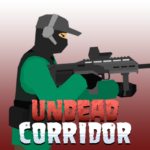












Undead Corridor
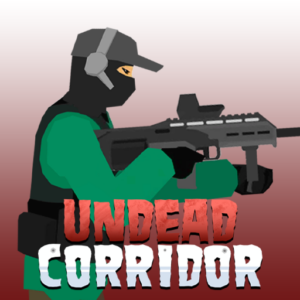
Ammo runs out. Health doesn’t come back. And the zombies only get faster. Undead Corridor is a 2D survival shooter that traps you in tight spaces — corridors, hospitals, barricaded rooms, city streets — and throws escalating waves of undead at you while your resources shrink with every trigger pull. Six distinct game modes, a kick mechanic for point-blank emergencies, and a weapon upgrade system that resets on death give every run genuine stakes. It’s a free browser game you can play right now on PLRun with no download.
About Undead Corridor
Undead Corridor is a wave-based zombie survival shooter developed by ZapGames, released in October 2025 as an HTML5 browser game built on Unity WebGL. The core design is deliberately claustrophobic: you fight in narrow, confined 2D environments where retreat is limited and getting cornered usually means death. Health never regenerates during a run, so every hit from a zombie is permanent damage you carry into the next wave.
What sets this game apart from typical browser shooters is the resource tension. Ammo is limited, weapons are lost entirely on death, and the only thing that persists between runs is the money earned from kills. That money buys upgraded weapons and ammo types before the next attempt, creating a roguelike loop where failed runs still contribute to long-term progress. With six game modes — each imposing different survival rules — the free online game offers significantly more variety than its minimalist 2D art style might suggest. It runs on desktop, mobile, and tablet browsers without installation.
How to Play Undead Corridor
Controls
Move left and right withA/Dor the arrow keys. Aim with the mouse and shoot with the left mouse button. PressRto reload,Qor the mouse scroll wheel to switch weapons, andSpacebarto kick nearby zombies. UseFto interact with objects or pick up items, andESCto pause. On mobile, on-screen buttons handle movement, shooting, reloading, and weapon switching with touch controls.
The Survival Objective
Your mission is to clear zombie-infested corridors and survive as many waves as possible. Zombies approach from both sides of the screen, and you need to gun them down before they reach you. The game ends when your health bar drops to zero — there are no extra lives, no health pickups during combat, and no way to regenerate HP. Your total corridors cleared, kills, and survival time are tracked as your run score.
Weapons and Ammunition
You start each run with two weapons, typically an assault rifle and a sidearm. Before entering battle, you can select from different ammunition types for compatible weapons:5.56x45D(Default) offers balanced power and range,5.56x45A(Armor-Piercing) deals extra damage to tougher zombies, and5.56x45S(Soft Point) causes bleeding effects useful for crowd control. Weapon categories include pistols for fast reloading, shotguns for close-quarters spread damage, assault rifles for sustained mid-range fire, and sniper rifles for high single-target damage at distance. Money earned from kills during a run can be spent on better weapons and ammo between attempts.
The Kick Mechanic
When a zombie closes the gap faster than you can reload, theSpacebarkick becomes your emergency tool. It pushes back up to two zombies at once, buying a few crucial seconds to finish reloading or reposition. The kick isn’t a primary combat option — it deals minimal damage — but in tight corridors where you’re sandwiched between threats, it can be the difference between a reload and a death screen.
Six Game Modes
Undead Corridor offers six modes, each with different rules:
- Corridors— Endless hallways where zombies grow more aggressive with each cleared wave. The core survival experience.
- Hospital— Zombie count multiplied by 1.5x. The most intense mode for experienced players.
- Defense— Hold a barricade against continuous attacks. You can repair the barricade, but if it breaks, zombies flood through.
- Rooms— Clear small areas with only one life. Weapons are retained after death, but health management is critical.
- Street— Open urban environment with multiplying waves. Weapons persist after death, making it a good mode for building your arsenal.
- Training— Access all weapons and practice shooting without survival pressure. Ideal for learning recoil patterns and reload timing.
Undead Corridor Tips and Strategies
Reload Before the Wave, Not During It
The single most common cause of death in Undead Corridor is an empty magazine when zombies are already closing in. After clearing the last zombie of a wave, reload immediately — even if you have half a magazine left. Starting a fresh wave with full ammo eliminates the risk of getting caught mid-reload when multiple zombies approach from both sides simultaneously.
Funnel Zombies Through Doorways
In corridor and room environments, doorways and narrow passages create natural chokepoints. Instead of standing in the middle of an open area, position yourself where zombies are forced to approach single-file. A shotgun aimed at a doorway can eliminate three or four zombies per wave without wasting ammo on scattered targets. This is especially effective in Rooms mode where every bullet and health point counts.
Spend Money on Ammo Upgrades Before New Weapons
When you die and return to the upgrade screen, it’s tempting to buy the most expensive weapon available. But switching from default ammo to Armor-Piercing (5.56x45A) on your existing assault rifle often provides a bigger survival boost per dollar spent. AP rounds make tough, late-wave zombies significantly easier to kill, which means you survive longer and earn more money for the next run. Upgrade ammo first, save weapon purchases for when you have surplus cash.
Use the Kick to Create Reload Windows
The kick pushes back up to two zombies and buys roughly two seconds of breathing room. That’s exactly enough time to complete a reload on most weapons. When you hear the click of an empty magazine and a zombie is within arm’s reach, kick first, then reload. Don’t waste the kick when you have ammo — save it for the moments when your magazine is empty and backing up isn’t an option.
Start in Training Mode to Learn Weapon Behavior
Each weapon handles differently — pistols reload fast but hit softly,shotguns spread widebut consume ammo quickly, sniper rifles hit hard but leave you vulnerable between shots. Training mode lets you test every weapon without survival stakes. Spend one or two sessions learning which weapons suit your playstyle before committing money to upgrades in competitive modes.
In Hospital Mode, Prioritize Headshots Absolutely
Hospital mode throws 1.5x more zombies per corridor than standard. With that volume, body shots drain your ammo before you clear the wave. Headshots kill faster and use fewer bullets per zombie, which directly translates to surviving more corridors. If your aim isn’t consistent enough for headshots yet, consider using Soft Point ammo (5.56x45S) — its bleeding effect adds damage over time, partially compensating for less precise aim.
In Defense Mode, Repair the Barricade Between Waves
The barricade in Defense mode absorbs zombie attacks, but it degrades. Between waves, repair it before reloading or upgrading. A broken barricade lets zombies flood past, and once they’re behind your defensive line, the run is effectively over. Think of barricade repair as the first priority between waves — not reloading, not repositioning.
Game Features
- Six distinct game modes— Corridors, Hospital, Defense, Rooms, Street, and Training, each with unique survival rules and zombie behavior
- Kick mechanic— Push back up to two zombies at point-blank range with
Spacebar, creating emergency escape windows during reloads - Three ammunition types— Default, Armor-Piercing, and Soft Point rounds for the same weapon, letting you tune loadouts to your playstyle
- Persistent currency system— Money earned during failed runs carries over, funding upgrades that make future attempts progressively stronger
- No health regeneration— Every hit is permanent, making positioning and avoidance as important as shooting accuracy
- Varied zombie types— Fast sprinters, slow walkers, and heavily armored undead that require different weapons and tactics
- Ragdoll physics on kills— Enemies react differently based on where they’re hit, adding visceral feedback to combat
- Cross-device browser play— Runs on desktop, mobile, and tablet via HTML5 with no download or account required
Why Play Undead Corridor on PLRun?
- No download or installation — loads directly in your browser on desktop, mobile, or tablet
- Completely free with no sign-up required to start your first run
- Runs last a few minutes each, fitting easily into short gaming breaks
- Explore morezombie shootersandsurvival action gamesacross PLRun’s library
Games Similar to Undead Corridor
- Undead Invasion— A zombie wave shooter on PLRun that shares Undead Corridor’s escalating horde pressure and survival-focused progression
- Dead Strike— A horror shooting game on PLRun with the same dark atmosphere and undead enemies in confined environments
- Grimdark Survivors— A survival action game on PLRun where mounting enemy waves and resource management create similar tension to Undead Corridor’s roguelike loop
- Retro Blaster— An arcade survival shooter on PLRun with the same escalating difficulty and score-chasing endgame, swapping zombies for space enemies
- Bullet Force— A browser-based shooting game on PLRun for players who want to build on the gunplay skills developed in Undead Corridor
FAQ
What is the kick and how do I use it?
PressSpacebarto kick zombies that are within melee range. The kick pushes back up to two zombies at once and is primarily used to create space during reloads or when you’re cornered. It deals minimal damage and shouldn’t replace shooting, but in tight corridor situations, it’s often the only way to survive an empty magazine.
What happens when I die — do I lose everything?
You lose all weapons and in-run progress, but the money earned from zombie kills during that run persists. You can spend it on weapon upgrades, better ammo types, and new firearms before your next attempt. This means even short, failed runs contribute to your long-term progression — the more you play, the stronger your starting loadout becomes.
Which game mode should I start with?
Training mode is the best starting point. It gives you access to all weapons without survival pressure, letting you learn reload timing, recoil patterns, and weapon switching before stakes are involved. Once comfortable, move to Corridors mode for the standard experience, or Street mode where weapons persist after death — giving you a safer environment to build your arsenal.
Does health regenerate between corridors?
No. Health does not regenerate at any point during a run in Undead Corridor. Every hit you take is permanent damage carried into the next wave. This makes avoidance and positioning just as important as shooting skill — taking even small amounts of damage early in a run compounds into a critical deficit by later waves.
Can I play Undead Corridor on mobile with no download?
Yes. Undead Corridor runs entirely in your browser via HTML5 on PLRun with no download, no installation, and no account required. On mobile and tablet, on-screen buttons replace keyboard and mouse controls. Touch controls handle movement, shooting, reloading, and weapon switching, though the precision of mouse aiming may give desktop players a slight edge in accuracy.
What’s the difference between the three ammo types?
The three confirmed ammo types are 5.56x45D (Default) for balanced performance, 5.56x45A (Armor-Piercing) for extra damage against tough, late-wave zombies, and 5.56x45S (Soft Point) which applies a bleeding effect for damage over time. Default is reliable for early waves, AP is worth the investment when armored zombies start appearing, and Soft Point is strongest for crowd control when multiple zombies cluster together.
Pleaseloginto comment.