











Dead Strike
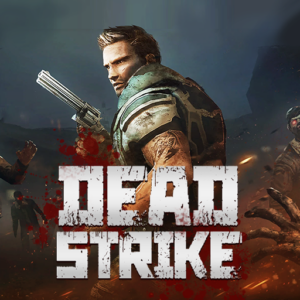
Dead Strike is an intense first-person zombie shooter that drops you into a post-apocalyptic world overrun by the undead. Take on the role of a special forces soldier, fight through waves of terrifying zombies, upgrade your arsenal, and complete increasingly brutal missions to save what remains of humanity. Play Dead Strike free as abrowser gameon PLRun — no download, no sign-up, instant action.
About Dead Strike
Dead Strike is afree online gameand HTML5 first-personshooter gamepublished by OzGames.io. Set in ruined cities devastated by a global zombie outbreak, the game puts you on the front lines with a rifle in hand and hordes of undead closing in from every direction. You progress through missions across multiple locations — abandoned streets, research labs, and underground tunnels — each more dangerous than the last. With over 50 weapons, a deep upgrade system, and multiple zombie types requiring different tactics, Dead Strike has earned a loyal following among fans of FPS survival games. As an HTML5 browser game, it runs directly on desktop and mobile without any installation.
How to Play Dead Strike
Basic Controls
Dead Strike uses standard FPS controls adapted for browser play:
- Mouse— Aim your weapon at zombies
- Left mouse click— Fire your weapon
- R— Reload ammo
- Q— Switch between weapons
- G— Throw a grenade
- F— Use a bandage to restore health
- Tab— Switch aiming direction
- WASD / Arrow Keys— Move your character around the map
[Alt text suggestion: First-person view of player aiming rifle at approaching zombie horde in ruined city]
Mission Structure
Each level in Dead Strike assigns you a specific mission: eliminate all zombies in the area, defend a location, or survive a set number of waves. Completing a mission earns you rewards such as currency, weapon unlocks, and rank progression. As you advance, missions become harder with tougher zombies, larger waves, and more complex objectives that demand careful planning.
Zombie Types
Dead Strike features several distinct zombie types, each requiring a different combat approach:
- Standard zombies— Slow but attack in large numbers; easy to handle individually but deadly in crowds.
- Ranged attackers— Throw projectiles or spit acid from a distance, forcing you to find cover or eliminate them quickly.
- Poisonous zombies— Deal damage over time if they get close, making distance and accuracy essential.
- Venom zombies— Elite-tier enemies with high health and devastating attacks; require upgraded weapons and precise headshots to defeat.
Weapon & Upgrade System
Dead Strike offers over 50 weapons including pistols, rifles, shotguns, machine guns, and explosives. You unlock new weapons by completing missions and climbing ranks. Each weapon can be upgraded using earned currency to improve damage, magazine capacity, reload speed, and accuracy. Investing in upgrades early is critical because later missions feature armored zombies that absorb standard firepower.
Health and Resource Management
Your character has a health bar that depletes when zombies land hits. Press F to use a bandage and restore health mid-combat, but bandages are limited, so use them only when your health drops dangerously low. Running out of ammo during a wave is equally dangerous — always reload during brief gaps between zombie rushes rather than waiting until your magazine is empty.
Dead Strike Tips and Strategies
- Always aim for headshots
Headshots deal significantly more damage than body shots and conserve your ammo supply. Since later waves bring tougher zombies with larger health pools, developing headshot accuracy early saves you from running dry when it matters most. - Reload between waves, not during them
The brief pause between zombie waves is your safest window to reload, switch weapons, and use bandages. Reloading mid-wave leaves you vulnerable for several seconds, which is often enough for a fast zombie to close the gap and deal heavy damage. - Prioritize ranged and poisonous zombies first
These special types deal damage from a distance or apply damage-over-time effects that drain your health even after the threat seems gone. Eliminating them before focusing on standard zombies prevents health from bleeding away while you handle the crowd. - Upgrade one primary weapon before spreading resources
It is tempting to unlock every weapon, but a single fully upgraded rifle outperforms three half-upgraded guns. Focus your currency on maxing out one reliable weapon first, then branch into secondary options once your main firearm can comfortably handle mid-game missions. - Use grenades for clustered waves
Grenades deal area damage, making them ideal when zombies bunch together in narrow streets or doorways. Saving grenades for these moments clears multiple enemies in one blast, preserving ammo and reducing pressure. - Keep moving to avoid being surrounded
Standing still in Dead Strike is a death sentence. Constantly reposition between shots to keep zombies in front of you, and use the map’s corridors and chokepoints to funnel enemies into manageable lines. - Save bandages for below 30% health
Using bandages at high health wastes a limited resource. Wait until your health drops to roughly 30% before healing, so each bandage restores the maximum effective value and keeps you alive through one more critical wave.
Game Features
- First-person zombie combat— Intense FPS action against waves of diverse undead enemies in a post-apocalyptic setting.
- 50+ weapons— Choose from pistols, rifles, shotguns, machine guns, sniper rifles, and explosives to match your playstyle.
- Deep upgrade system— Improve weapon damage, ammo capacity, reload speed, and accuracy using mission rewards.
- Multiple zombie types— Face standard, ranged, poisonous, and elite Venom zombies, each demanding unique tactics.
- Mission-based progression— Complete objectives across ruined cities, labs, and tunnels, with rising difficulty and bigger rewards.
- Rank system— Climb ranks by finishing missions, unlocking new weapons and perks as you advance.
- HTML5 browser game— Play instantly on desktop, tablet, or mobile with no plugins, downloads, or installation needed.
- Dark, immersive atmosphere— Detailed visuals and realistic sound design create constant tension throughout every mission.
Why Play Dead Strike on PLRun?
- Play Dead Strike online for free withno downloadand no registration — open the page and start shooting instantly.
- Enjoy smooth HTML5 performance on desktop, tablet, and mobile browsers.
- Explore more action-packed titles in PLRun categories like
/shooting,/action, and/horror. - Switch between Dead Strike and related PLRun games like zombie survival shooters, FPS wave defenders, and sniper challenges for endless variety.
Games Similar to Dead Strike
- Undead Corridor— A corridor-based zombie shooter where you defend tight hallways against waves of approaching undead.
- Mine Shooter 3— A blocky FPS survival game with crafting, exploration, and zombie combat in a destructible voxel world.
- Path of Survivor— A top-down zombie survival game focused on resource management, base building, and wave defense.
- Horror Nun— A stealth-horror game set in a dark environment where you must escape a terrifying pursuer while solving puzzles.
- Retro Blaster— A fast-paced retro-style shooting game with arcade mechanics, power-ups, and escalating enemy waves.
FAQ
Is Dead Strike free?
Yes, Dead Strike is a free online game you can play directly in your browser on PLRun. There are no paywalls, subscriptions, or hidden costs — just load the page and start your first mission immediately.
Can I play Dead Strike on mobile?
You can play Dead Strike on mobile devices because it is built as an HTML5 browser game. Open PLRun in your phone or tablet’s browser, load Dead Strike, and use touch controls to aim, shoot, and navigate through zombie-infested missions.
How do you play Dead Strike?
In Dead Strike, you aim with the mouse, shoot with the left click, reload with R, and move with WASD or arrow keys. Your goal is to eliminate all zombies in each mission, manage your ammo and health, and upgrade weapons between rounds to handle increasingly dangerous waves in this first-person shooter game.
What types of zombies are in Dead Strike?
Dead Strike features multiple zombie types including standard walkers, ranged attackers that throw projectiles, poisonous zombies that deal damage over time, and elite Venom zombies with high health and powerful attacks. Each type requires different tactics and weapon choices to defeat efficiently.
Is Dead Strike safe for kids?
Dead Strike is a zombie shooter with combat violence, dark themes, and a post-apocalyptic setting, so it is best suited for teens and older players. Parents should review the game’s content to decide if it is appropriate, though it contains no graphic gore and runs safely in the browser without downloads.
Does Dead Strike require download?
No, Dead Strike does not require any download when played on PLRun. The game runs entirely in your web browser as an HTML5 game, so you can start playing instantly on any modern device without installing software or using storage space.
Game controls:
- Mouse: Aim weapon
- Left mouse click: Fire weapon
- R: Reload ammo
- Q: Switch weapons
- G: Throw a grenade
- F: Use a bandage
- Tab: Switch direction
Pleaseloginto comment.