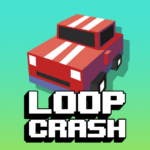














Loop Crash
Two circular tracks, one deadly intersection, and traffic that never stops coming.Loop Crashis a fast-paced arcade driving game where your only tools are acceleration and braking — and your only goal is to survive one more lap without crashing. Sounds simple until the third car spawns, then the fourth, then the fifth. Play this free online game right now on PLRun — no download, no sign-up, just pure reflex-driven chaos in your browser.
About Loop Crash
Loop Crash is a minimalist arcade driving game developed byBK-Gameand published byAzGamesonJanuary 2, 2026. Your car drives automatically around an intersecting figure-eight loop track, and you control only its speed — accelerating to rush through gaps or braking to let other vehicles pass safely. The challenge comes from the two crossing points where the circular tracks overlap, creating constant collision hazards. Every completed lap earns coins and points, but more vehicles keep spawning as your score climbs, making the track progressively more crowded and dangerous. With unlockable vehicles ranging from standard cars to buses and bikes, a survival-mode score chase that hooks you into “just one more run,” and dead-simple two-key controls, Loop Crash has earned its spot as one of the most addictive free online games in the casual driving genre. As an HTML5 browser game, it loads instantly on any device.
How to Play Loop Crash
Your car moves forward automatically at all times. You cannot steer, you cannot stop, and you cannot leave the track. The only thing you control is pace. Here’s a full breakdown of how every system works.
Basic Controls
- D or Up Arrow— Accelerate (speed up your car)
- A or Down Arrow— Brake (slow your car down)
That’s it. Two keys. Your car handles all the steering on its own, following the figure-eight loop endlessly. Your entire job is deciding when to go fast and when to go slow. This simplicity is deceptive — at higher traffic densities, split-second speed decisions become impossibly tense.
The Figure-Eight Track
The track consists of two circular loops that overlap at two intersection points. Your car continuously circles this figure-eight pattern, passing through both intersections on every full lap. Other vehicles also travel the loops on their own paths and at their own speeds. The intersections are the danger zones — every crash in Loop Crash happens at these crossing points where your path converges with oncoming traffic.
Intersection Timing
Each intersection is a narrow window where your loop crosses another vehicle’s loop. As you approach a crossing point, you need to assess whether an oncoming car will occupy that space at the same time you arrive. If it will, you have two options:
- Brake early— Slow down before the intersection and let the other car pass through first.
- Accelerate through— Speed up to cross before the other car reaches the intersection.
Choosing wrong means a collision and an instant game over. The correct choice depends on both your speed and the other vehicle’s speed and distance from the crossing. Reading these variables quickly and accurately is the core skill of Loop Crash.
Scoring and Coin System
Every full loop you complete earns points toward your score and coins toward your wallet. Points are the primary measure of each run — your high score is what you’re chasing. Coins accumulate across all runs (even failed ones) and are spent on unlocking new vehicles from the garage. The longer you survive in a single run, the higher both your score and coin payout climb.
Traffic Escalation
Loop Crash starts with just your car and one or two other vehicles. As your score increases, additional cars spawn onto the track at regular intervals. Each new vehicle adds another collision variable to track and another timing calculation to make at every intersection. The difficulty scales smoothly — you won’t notice the jump from two cars to three, but you’ll absolutely feel the difference between five and six. Late-game runs with heavy traffic demand constant speed adjustments and near-perfect intersection timing.
Unlockable Vehicles
Coins earned from runs are spent in the garage to unlock new driveable vehicles. The roster includes:
- Standard cars— The default starting vehicle and early unlocks with familiar profiles.
- Sports cars— Sleeker designs for faster visual style.
- Buses— Larger vehicles with a different visual footprint.
- Bikes— Compact options that feel different on the track.
Vehicles are cosmetic — they don’t change gameplay physics or handling stats. But unlocking the full roster provides long-term motivation and keeps each new run visually fresh. The more coins you earn, the more rides you can unlock.
Loop Crash Tips and Strategies
1. Default to Braking, Not Accelerating
New players instinctively speed up to “rush past” danger, but accelerating into an intersection you haven’t fully assessed is the leading cause of crashes. Make braking your default reflex when you see an intersection approaching. Slowing down gives you more time to read the situation and creates a wider safe window. You can always accelerate later — you can’t undo a crash.
2. Watch the Other Car’s Distance, Not Just Its Position
The key to intersection timing isn’t where the other car is right now — it’s where it will be when you arrive at the crossing. Track the gap between the other vehicle and the intersection. If the gap is large (the car is far away), you have time to cross safely. If the gap is small (the car is close), brake immediately. Train yourself to estimate closing distances rather than reacting to current positions.
3. Use Rhythmic Speed Pulses Instead of Constant Speed
Holding D at full speed makes you reach intersections too quickly to react. Holding A at full brake makes runs tediously slow and doesn’t actually prevent crashes when traffic is dense. Instead, use short taps — brief acceleration bursts followed by brief braking pauses. This pulse rhythm keeps your car moving at a manageable, controllable pace while giving you micro-windows to assess each approaching intersection.
4. Focus on One Intersection at a Time
When the track fills with five or more vehicles, it’s tempting to track everything simultaneously. Don’t. Focus exclusively on the next intersection you’re approaching. Once you clear it safely, immediately shift focus to the following one. Trying to monitor the entire track splits your attention and slows your reaction to the one crossing that actually matters right now.
5. Memorize the Traffic Spawn Rhythm
New vehicles don’t appear randomly — they spawn at predictable score intervals. After several runs, you’ll begin recognizing when the next car is about to join the loop. Anticipating a new spawn lets you pre-adjust your speed and position so you’re not caught off-guard by a vehicle suddenly appearing near an intersection right as you approach.
6. Let Fast-Moving Cars Clear First
When a vehicle is approaching an intersection noticeably faster than you, always yield. Fast cars cross the intersection quickly, clearing the danger zone in a short window. Brake and let them pass, then accelerate through the now-empty crossing. Trying to outrun a faster vehicle to the intersection is the riskiest move in the game.
7. Accept That Runs Will End — Chase Incremental Improvement
Loop Crash is a survival game. Every run ends in a crash eventually. The goal isn’t perfection — it’s beating your previous best. Each run teaches you something: a timing pattern you hadn’t seen, a spawn point you weren’t expecting, a speed threshold where your reactions weren’t fast enough. Approaching the game as incremental improvement rather than “I must survive forever” keeps frustration low and motivation high.
Game Features
- Figure-Eight Loop Track— Two intersecting circular tracks with dual crossing points that create constant collision tension.
- Two-Key Speed Control— Accelerate and brake are your only inputs, making the game instantly accessible but deeply skill-dependent.
- Auto-Driving Mechanic— Your car moves and steers automatically; you focus entirely on speed management and timing.
- Progressive Traffic Density— New vehicles spawn as your score climbs, escalating pressure smoothly across every run.
- Survival Score Chase— No levels, no stages — one continuous run where the only goal is outlasting your previous best.
- Coin Reward System— Every lap earns coins that accumulate across runs for vehicle unlocks.
- Unlockable Vehicle Garage— Cars, sports cars, buses, and bikes to unlock and drive.
- Instant Restart— Crash and jump back in immediately with zero loading time.
- Minimalist Visual Design— Clean, readable graphics that keep the focus on traffic timing and speed control.
- Escalating Difficulty Curve— Smooth, gradual difficulty scaling that never feels unfair but always feels intense.
Why Play Loop Crash on PLRun?
- No download required— Loop Crash runs entirely in your browser as an HTML5 game. Open the page and start driving.
- No account needed— Jump into your first run without sign-ups, logins, or email verification.
- Works on any device— PLRun is optimized for desktop, laptop, tablet, and mobile browsers with responsive controls.
- More driving games available— Love arcade racers? Browse hundreds of free car, casual, and action games on PLRun.
Games Similar to Loop Crash
If Loop Crash’s survival-driving tension hooked you, try these related games on PLRun:
- Police Drive— A 3D open-world driving game where you patrol city streets, chase criminals, and upgrade police vehicles across diverse mission types.
- Slope Rider 3D— An endless 3D runner where speed escalates constantly and one collision ends everything — the same “survive as long as you can” intensity in a different setting.
- Traffic Run— A traffic-weaving arcade game where you dodge cars at busy intersections, testing the same timing and reflex skills Loop Crash demands.
- Crazy Taxi— A fast-paced arcade driving game with time pressure and chaotic city traffic for fans who enjoy speed-based vehicular challenges.
- Skip It!— A timing-focused casual game where patience and precision matter more than speed, rewarding the same deliberate rhythm Loop Crash teaches.
FAQ
Is Loop Crash free to play?
Yes, Loop Crash is completely free to play on PLRun. There are no paywalls, premium tiers, or in-app purchases. All vehicles in the garage are unlockable through earned coins, and the full survival gameplay experience is accessible without spending any real money.
Can I play Loop Crash on mobile?
Yes. Loop Crash is an HTML5 game that runs in any modern mobile browser. It supports touch controls on iPhone, Android, and tablets — tap one side to accelerate, the other to brake. Just visit PLRun on your mobile browser and start playing. No app download required.
How do you play Loop Crash?
Your car drives automatically around a figure-eight loop track. Press D or Up Arrow to accelerate and A or Down Arrow to brake. Your goal is to avoid crashing into other vehicles at the two intersection points where the loops cross. Every completed lap earns points and coins. The longer you survive, the more traffic spawns on the track, making each intersection crossing increasingly dangerous.
What is a good score in Loop Crash?
Scores scale infinitely since Loop Crash is a survival game with no endpoint. Beginners typically last 10-20 laps before their first crash. Intermediate players push past 50 laps once they master intersection timing. Experienced players who’ve internalized traffic spawn rhythms and speed pulse techniques can reach 100+ laps, though the escalating traffic density makes every additional lap exponentially harder.
Is Loop Crash safe for kids?
Yes. Loop Crash features simple, colorful top-down graphics with no violence, blood, or inappropriate content. Crashes are depicted as a brief collision animation with no damage visuals. The game is a casual, lighthearted arcade driving experience suitable for players of all ages.
Does Loop Crash require a download?
No download or installation is needed. Loop Crash is a browser-based HTML5 game that loads directly on PLRun. It works on Chrome, Firefox, Safari, Edge, and all major browsers on both desktop and mobile devices.
Game controls:
- Press/hold the A and D keys to slow down or speed up.
Pleaseloginto comment.