










Dancing Beat
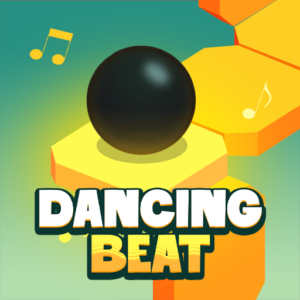
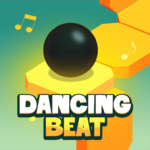
One ball. One beat. One wrong tap and you’re off the edge. Dancing Beat is a rhythm-based arcade game where you guide an automatically moving ball through colorful mazes by tapping in perfect sync with the music — and you can play it free in your browser right now on PLRun.
About Dancing Beat
Dancing Beat is a rhythm music game published byAzgamesand released onNovember 7, 2025. Inspired by the famous Dancing Line concept, it challenges you to control a ball that moves automatically along a winding path. Your only job is to click or tap at exactly the right moment — perfectly on the beat — to change the ball’s direction at every corner, turn, and jump point.
Miss the beat by even a fraction and the ball falls off the path, ending the run instantly. Each level is built around a unique musical track, and the path layout syncs directly with the rhythm — turns arrive on drum hits, jumps land on bass drops, and tempo changes shift the ball’s speed. With multiplethemed worlds(islands, desert, jungle, winter, and more), escalating difficulty, and a progression system that unlocks new environments as you complete songs, this free online game is a deeply satisfying browser game for rhythm lovers. As an HTML5 game, it runs instantly on any device.
How to Play Dancing Beat
Basic Controls
Dancing Beat uses the simplest possible input — one action does everything:
- Left Mouse Click— Tap to change direction at corners or trigger jumps
- Spacebar— Same function as click
- Hold Click— Keep holding during long beats or bridge sequences for continuous movement
- Mobile:Tap the screen in rhythm
There are no arrow keys, no directional inputs, and no combos. Every interaction is a single, precisely timed click or tap. The simplicity makes the timing demands absolute — there is nothing else to focus on except the beat.
Core Mechanic — Click on the Beat to Turn
Once a level starts, the ball moves forward automatically. It follows a pre-built path made of connected squares. When the ball reaches acorner or turning point, you must click at exactly the right moment — on the beat — to change its direction.
- Click on the beat→ The ball turns smoothly and continues along the path
- Click too early→ The ball turns before the corner and falls off the edge
- Click too late→ The ball misses the turn entirely and drops off the path
- Don’t click→ The ball rolls straight off the end of a segment
There is no partial credit. One mistimed tap ends the run, and you restart the level from the beginning.
Themed Music Worlds
Dancing Beat is divided intomultiple music worlds, each with its own visual style, soundtrack, and rhythm pattern:
- Island— Bright tropical visuals with relaxed, steady beats
- Desert— Warm sandy landscapes with syncopated rhythms
- Jungle— Lush green environments with faster-paced tribal beats
- Winter— Icy, cool-toned scenery with crisp, sharp musical cues
- Additional worldsunlock as you progress through the game
Each world introduces its own tempo, beat complexity, and path layout. Early worlds teach fundamental rhythm with forgiving timing windows. Later worlds feature faster tempos, sharper turns, narrower paths, and rhythmic traps designed to catch you off-guard.
Level Progression and Unlocking
Levels unlock sequentially. Completing the current song opens the next level automatically. Each new level brings a fresh musical track, a new visual theme, and harder path layouts. The difficulty scales gradually — you build rhythmic skills on simpler songs that directly prepare you for the challenges ahead.
The Hold Mechanic
Certain sections of a level require you toholdthe click or tap instead of tapping once. These “bridge sequences” or “long beats” involve sustained straight paths where the ball needs continuous input to keep moving. Releasing too early during a hold section causes the ball to stop and fall. Listen for extended notes in the music — they signal when to hold.
Dancing Beat Tips and Strategies
1. Listen to the Beat First, Then Watch the Path
Your ears are more accurate than your eyes for rhythm timing. The drum or bass beat signals exactly when to click, while the visual path only shows where to go. Put on headphones, turn up the volume, and let the music’s beat pattern drive your taps. Players who rely primarily on audio consistently outperform players who rely on visual cues alone.
2. Watch Ahead — Not at the Ball
Staring at the ball causes slow reflexes because you’re reacting to what’s already happening instead of preparing for what’s next. Focus your eyes on the upcoming corners and turns two to three segments ahead. This preview window gives your brain time to anticipate the next click before the ball reaches the turning point.
3. Get Into “Flow” by Matching Hands to Music
When your tap rhythm syncs perfectly with the song’s beat, you enter a flow state where clicks feel automatic. Don’t overthink individual taps — let your hands follow the music naturally. This flow is the game’s core design: it rewards feeling the beat over calculating individual clicks. If you lose the flow, pause mentally for a moment and re-sync with the next downbeat.
4. Replay Immediately After Falling — Don’t Rest
When the ball falls, restart the level immediately. Your brain is still holding the rhythm pattern from the music, and a quick restart capitalizes on that muscle memory. Waiting too long between attempts forces you to re-learn the timing from scratch. Short, rapid replay sessions build rhythmic intuition faster than long breaks between attempts.
5. Don’t Try to Memorize the Map — Feel the Music Instead
Dancing Beat’s paths are designed to match the music, not to be memorized visually. Trying to learn the map through sight leads to rigid, mechanical clicking that breaks when the tempo shifts. Instead, internalize the song’s rhythm. Once you feel the beat, the path follows naturally because the turns are placed on musical beats.
6. Use Color and Light Changes as Secondary Cues
Many levels change background colors or add light transition effects at turning points. These visual cues complement the audio beat and provide a secondary timing signal. When the audio is fast or complex, these color shifts can help confirm the exact moment to click. Don’t rely on them exclusively — the music is primary — but use them as backup.
7. Play in Short Sessions for Faster Improvement
Extended play sessions cause fatigue that dulls your rhythm sensitivity. Playing for 10–15 minutes, taking a break, and returning fresh produces faster skill gains than grinding for an hour straight. Your brain processes rhythmic patterns during rest periods, so breaks are part of the learning process, not a disruption to it.
Game Features
- One-click rhythm gameplay— Tap in sync with the beat to turn, jump, and change direction
- Multiple themed music worlds— Islands, desert, jungle, winter, and more, each with unique soundtracks
- Music-synchronized paths— Every turn, corner, and jump aligns precisely with the song’s beat
- Hold mechanic— Sustained clicks during bridge sequences and long notes
- Progressive difficulty— Early levels teach rhythm gently; later levels demand precision and speed
- Sequential level unlocking— Complete the current song to open the next challenge
- Instant death on mistiming— One wrong click ends the run, keeping stakes high
- Vibrant visual design— Colorful worlds with dynamic lighting and background transitions
- Minimalist controls— Click, tap, or press Spacebar; nothing else needed
- Headphone-optimized audio— Best experienced with headphones for precise beat detection
- Cross-platform play— Works on desktop and mobile browsers
Why Play Dancing Beat on PLRun?
- No download required— Play instantly in your browser without installing anything
- No sign-up needed— Start the first music world immediately with zero registration
- Mobile-friendly— Single-tap controls work perfectly on phones and tablets
- Completely free— No paywalls, no premium levels, no hidden fees
- Discover more games— Love rhythm and music games? Try Orbit Beats, Color Rhythm, and other beat-driven games in our Music and Arcade game collections
Games Similar to Dancing Beat
- Color Rhythm— A one-click rhythm game where you flip a cube’s color to match neon platforms in sync with electronic music across 5 themed levels
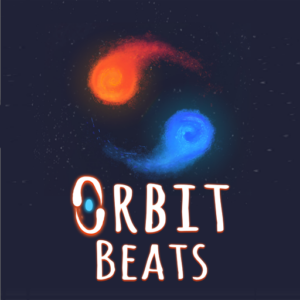
- Orbit Beats— A one-button rhythm game where you guide two orbiting planets along geometric paths by tapping in perfect time with the music
- Geometry Dash— A rhythm-based platformer with one-touch jumping, geometric obstacles, and thousands of user-created levels
- Friday Night Funkin’— A popular rhythm game where you match arrow keys to the beat in musical rap battles against quirky opponents
- A Dance of Fire and Ice— A one-button rhythm game where two rotating orbs must move precisely along a winding path to each beat
FAQ
How does the turning mechanic work in Dancing Beat?
The ball moves forward automatically along a path of connected squares. When it reaches a corner, you must click or tap exactly on the musical beat to change its direction. The timing is not based on the visual corner position alone — it’s synced to the song’s rhythm. The drum or bass hit signals the exact moment to click. Too early or too late by even a fraction and the ball falls off the path instantly.
What are the themed music worlds in Dancing Beat?
Dancing Beat features multiple music worlds including Island (tropical, relaxed beats), Desert (syncopated rhythms), Jungle (faster tribal beats), Winter (crisp, sharp cues), and additional environments that unlock as you progress. Each world has a unique soundtrack, visual style, and rhythm complexity. Worlds unlock sequentially — completing the current level’s song opens the next.
What is the hold mechanic in Dancing Beat and when should I use it?
Certain path sections require you to hold your click or tap instead of a quick tap. These “bridge sequences” correspond to sustained notes in the music — when you hear an extended tone or held beat, keep your finger pressed down. Releasing too early causes the ball to stop and fall. Listen for long notes in the melody as your cue for when to hold versus when to tap quickly.
What’s the best strategy for beating harder levels in Dancing Beat?
Use headphones and let the music drive your taps rather than watching the path. Focus your eyes two to three corners ahead of the ball so you can anticipate turns. When you fall, restart immediately to preserve your rhythmic momentum — your brain holds the beat pattern for a few seconds after failure. Don’t try to memorize the visual map; instead, internalize the song’s rhythm. The turns are placed on musical beats, so once you feel the song, the path follows naturally.
Can I play Dancing Beat on my phone without downloading an app?
Yes. Dancing Beat runs entirely in your browser as an HTML5 game — no download or app installation needed. On mobile, tap the screen in rhythm to turn the ball at corners and hold for bridge sequences. The single-tap controls are naturally suited to touchscreens. For the best experience, use headphones — the audio cues that signal turning points are much clearer with direct sound than through phone speakers.
How is Dancing Beat different from Geometry Dash?
Both are rhythm-based games with instant-death mechanics, but the core input differs. In Geometry Dash, you tap to jump over or past obstacles while your character runs forward on a 2D plane. In Dancing Beat, you tap to change direction at corners on a winding 3D path — there’s no jumping over obstacles, only rhythmic turning. Dancing Beat also features distinct themed music worlds (island, jungle, winter) with unique soundtracks, while Geometry Dash centers on a massive library of user-created levels. Dancing Beat’s path-turning mechanic feels closer to Dancing Line than to Geometry Dash.
Pleaseloginto comment.