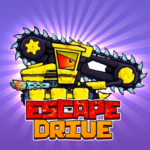




































Escape Drive
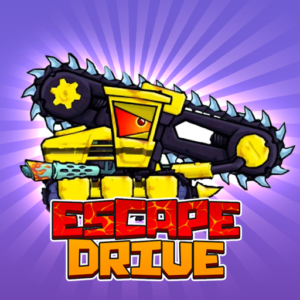
Monster cars with razor-sharp teeth. Relentless police in pursuit. Bombs, turbo boosts, and boss fights at the end of every chapter. Escape Drive is a survival racing game where you drive ferocious cartoon vehicles through 120+ levels of deadly traps, enemy cars, and explosive chaos — and you can play it free in your browser right now on PLRun.
About Escape Drive
Escape Drive is a high-octane action racing game published byAzgamesand released onNovember 3, 2025. You control monster-like cartoon cars — complete with giant teeth and aggressive designs — through rugged terrains filled with steep hills, saw blades, spikes, gaps, ramps, and hostile enemy vehicles. Your goal isn’t just reaching the finish line; it’s surviving the relentless pursuit of police cars, rival vehicles, and powerful end bosses.
What makes this free online game so addictive is the blend of physics-based driving, combat, and progression. With over120 levelsacross varied terrains,30 upgradeable vehicleswith unique skills, a full garage upgrade system for armor, turbo, speed, and damage, and boss battles that require every trick you’ve learned, this browser game packs a surprising amount of depth into its cartoonish chaos. As an HTML5 game, it runs instantly on any device with no installation required.
How to Play Escape Drive
Basic Controls
Escape Drive uses a compact control scheme with four essential keys:
| Action | Key |
|---|---|
| Tilt vehicle backward (lean back) | A / Left Arrow |
| Tilt vehicle forward (lean forward) | D / Right Arrow |
| Activate turbo boost | J |
| Drop bomb | K |
Onmobile, on-screen buttons replace keyboard inputs. The car moves forward automatically once a level begins — your job is to manage tilt, timing, turbo, and bombs.
Auto-Forward Driving and Balance
Your car accelerates forward automatically at the start of each level. You don’t control speed directly — the car pushes ahead on its own. Your primary task istiltingthe vehicle backward and forward using A/D or Arrow Keys to maintain balance over hills, ramps, and uneven terrain.
Balance is everything. Tilt too far forward on a steep climb and your car nose-dives. Tilt too far backward off a ramp and you flip. The physics are exaggerated and punishing — a slight overcorrection on a narrow ledge sends you tumbling into spikes or off a cliff. Reading the terrain ahead and pre-tilting before you reach elevation changes is the core driving skill.
Combat — Teeth, Bombs, and Turbo
Escape Drive isn’t just racing — it’s combat racing. Your car is equipped with:
- Teeth— Your car has giant monster teeth built into its front bumper. Ramming into enemy vehicles from the right angle bites and damages them. Positioning matters — head-on collisions can hurt you too.
- Bombs (K key)— Drop bombs behind your car to hit pursuing enemies. Bombs are especially effective on narrow tracks where enemies can’t dodge. Timing the drop for tight corners or narrow bridges maximizes the chance of a direct hit.
- Turbo Boost (J key)— Activates an instant speed burst. Use turbo to outrun police, clear wide gaps, launch off ramps, or escape dangerous clusters of enemies. Turbo has a cooldown, so use it strategically.
Enemy Types
Multiple enemy types chase and attack you across levels:
- Police cars— Persistent pursuers that try to ram you off the road, push you into traps, or corner you against obstacles. They appear in almost every level and grow faster and more aggressive as you progress.
- Rival vehicles— Enemy cars with their own weapons and aggressive AI that attempt to crash into you or force you off cliffs.
- End bosses— Heavily armored vehicles with sophisticated weapons that appear at the climax of level sequences. Boss fights demand precise driving, well-timed bombs, and fully upgraded cars to survive.
Level Structure — 120+ Levels Across Varied Terrains
Escape Drive features over120 levelsthat progress through diverse environments:
- Hilly terrains— Steep climbs and descents that test balance and tilt control
- Obstacle tracks— Saw blades, spikes, and gaps that require precise timing
- Desert landscapes— Sandy terrain demanding cars with good grip
- Forest slopes— Dense paths where traction and steady control are critical
- Boss arenas— Enclosed spaces where you face heavily armed boss vehicles
Each terrain type demands a different driving approach and, in many cases, a different vehicle choice. What works on flat obstacle courses may fail on steep mountain climbs.
Garage — 30 Vehicles and Upgrades
Your garage stores every car you’ve unlocked. The game starts you with theGator— a basic but reliable monster car. As you progress, you unlock up to30 vehicles, each with unique skills, handling characteristics, and visual designs.
Every car can be upgraded across four dimensions using gems and resources collected during races:
- Armor— Increases durability against enemy ram attacks and trap damage
- Turbo— Improves boost power and reduces cooldown
- Speed— Raises base acceleration for faster level completion
- Damage— Strengthens your bite attack and bomb impact
New cars unlock through mission milestones: defeating bosses, finding keys in arenas, completing level sequences, and rescuing captured friends scattered across the campaign.
Collectibles and Resources
During races, you collect:
- Gems— Primary currency for car upgrades
- Shields— Temporary protection pickups that absorb hits
- Turbo boosts— Instant speed pickups that supplement your J-key turbo
- Keys— Required to unlock certain vehicles and arena content
Collecting resources while dodging traps and enemies is a constant risk-reward decision — detours toward gems often put you closer to hazards.
Escape Drive Tips and Strategies
1. Pre-Tilt Before Hills — Don’t React After You’re Already Climbing
The most common death in early levels is flipping on a steep hill because you tilted too late. When you see an uphill slope approaching, press A (lean back) before you reach it. Pre-tilting gives your car the right angle to climb smoothly instead of nose-diving into the slope. The same applies to downhill drops — lean forward with D before the descent begins.
2. Save Bombs for Narrow Sections Where Enemies Can’t Dodge
Dropping a bomb on a wide-open stretch wastes it — enemies simply swerve around. Instead, save your K-key bombs for tight corridors, narrow bridges, and sharp turns where pursuing enemies are locked into a single path. A bomb dropped just before a tight corner is nearly impossible for AI enemies to avoid.
3. Match Your Vehicle to the Terrain Type
Desert levels demand high-grip cars. Forest slopes need strong traction. Flat obstacle courses favor speed builds. Don’t use the same car for every level — check the terrain preview and select the vehicle with the best handling characteristics for that specific environment. A fast car with poor grip will spin out on sandy desert levels, no matter how upgraded its speed stat is.
4. Upgrade Armor First on Cars You Use for Boss Fights
Boss vehicles hit hard and attack relentlessly. If your car can’t survive sustained damage, you’ll never get enough opportunities to drop bombs or bite back. Prioritize armor upgrades on the car you plan to use against bosses, then build speed and damage afterward. Surviving 10 extra seconds in a boss fight gives you two or three more bomb drops — often the difference between victory and destruction.
5. Use Turbo to Clear Gaps, Not Just for Speed
Turbo isn’t just about going fast — it’s your gap-clearing tool. Wide chasms between track sections require turbo-assisted jumps to cross. If you burn your turbo boost for raw speed on a straightaway, you may not have it available when a gap appears seconds later. Always keep turbo in reserve when you’re on terrain that features gaps or broken track sections.
6. Ram Enemies from the Side, Not Head-On
Your car’s teeth deal maximum damage on angled or side impacts. Head-on collisions hurt both you and the enemy equally, which is a bad trade when you need to survive. Position yourself to the side of enemy vehicles and use your tilt to angle your teeth into them. Side rams deal more damage to them while minimizing the impact on your own car.
7. Collect Shields Before Entering Boss Arenas
Shield pickups appear throughout levels. If you know a boss fight is coming at the end of a level sequence, actively collect every shield you can find in the preceding levels. Entering a boss arena with shield protection gives you a free hit — the boss’s first attack gets absorbed while you position for your counter-attack.
Game Features
- 120+ survival racing levels— Progressive difficulty across hills, deserts, forests, obstacle courses, and boss arenas
- 30 upgradeable monster cars— Each with unique skills, handling, and visual designs starting from the Gator
- 4-dimension upgrade system— Improve armor, turbo, speed, and damage using collected gems
- Physics-based tilt driving— Balance your car over hills, ramps, and uneven terrain with precise tilt control
- Combat racing— Bite enemies with car teeth, drop bombs with K, and turbo boost with J
- Police pursuit AI— Persistent cop cars that chase, ram, and corner you across every level
- End boss battles— Heavily armored boss vehicles with sophisticated weapons at level sequence climaxes
- Rescue missions— Save captured friends scattered across the campaign for bonus rewards
- Varied terrains— Desert, forest, mountain, and obstacle track environments each demanding different vehicles
- Resource collection— Gems, shields, turbo pickups, and keys scattered across levels
- Auto-forward driving— Car accelerates automatically; you focus on balance, combat, and timing
- Cross-platform play— Works on desktop and mobile browsers
Why Play Escape Drive on PLRun?
- No download required— Play instantly in your browser without installing anything
- No sign-up needed— Start racing as the Gator immediately with zero registration
- Mobile-friendly— On-screen buttons for tilt, turbo, and bombs work smoothly on phones and tablets
- Completely free— No paywalls, no premium cars locked behind real money
- Discover more games— Love racing and action games? Try Mad Racers, Blocky Rider, Ramp Xtreme, and other high-speed combat games in our Racing and Action game collections
Games Similar to Escape Drive
- Mad Racers— A tactical combat racing game with rockets, shields, turbo cards, garage upgrades, and PvP online duels
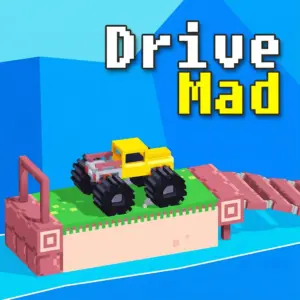
- Drive Mad— A physics-based driving game where you navigate silly cars across 100+ creative obstacle courses filled with ramps, flips, and dangerous terrain
- Blocky Rider— A voxel-style motorcycle racing game with three modes: dodge traffic, demolish cars, or explore a blocky city freely
- Ramp Xtreme— A 3D motorcycle stunt game where you launch off floating ramps, perform mid-air flips, and survive increasingly extreme tracks
- Earn to Die— A zombie survival driving game where you upgrade vehicles to smash through undead hordes and reach the evacuation point
FAQ
How do the controls work in Escape Drive — what do J and K do?
Your car moves forward automatically. Use A/D or Left/Right Arrow to tilt the vehicle backward and forward for balance on hills and ramps. PressJto activate a turbo boost for instant speed bursts — essential for clearing gaps and outrunning police. PressKto drop a bomb behind your car, damaging pursuing enemies. Turbo and bombs both have cooldowns, so timing them strategically during chases and boss fights is critical.
How many levels and cars does Escape Drive have?
Escape Drive features over120 levelsacross varied terrains including hills, deserts, forests, and obstacle courses, plus boss arenas at key progression points. The game includes30 unlockable and upgradeable vehicles, starting with the Gator. New cars unlock through mission milestones like defeating bosses, finding arena keys, and rescuing captured friends. Each car has unique handling and skills suited to different terrain types.
How do I beat boss fights in Escape Drive?
Boss vehicles are heavily armored with enhanced weapons and aggressive AI. To beat them,upgrade your armor firstso you can survive sustained attacks. Save your bombs for moments when the boss is on a narrow section of track where they can’t dodge. Use turbo to create distance when the boss closes in, and position for side-angle ram attacks with your car’s teeth rather than head-on collisions. Collecting shield pickups in the levels before a boss arena gives you a free hit buffer.
What’s the best strategy for upgrading cars in Escape Drive?
Focus onone primary car firstrather than spreading gems across many vehicles. Prioritize armor for boss survivability, then speed for level completion, then damage for combat efficiency. Match your car choice to the terrain — high-grip cars for desert, strong-traction cars for forest slopes. Once your main car is fully upgraded, branch out to specialized vehicles for specific terrain types. Gems collected during runs are your primary upgrade currency.
Can I play Escape Drive on my phone without downloading an app?
Yes. Escape Drive runs entirely in your browser as an HTML5 game — no download or app store needed. On mobile, on-screen buttons replace the keyboard controls: tilt buttons for A/D balance, a turbo button for J, and a bomb button for K. The touch controls are responsive, though the precise tilt adjustments required on steep hills and narrow bridges may feel slightly more demanding on a smaller touchscreen. Playing in landscape orientation gives the widest view of upcoming terrain.
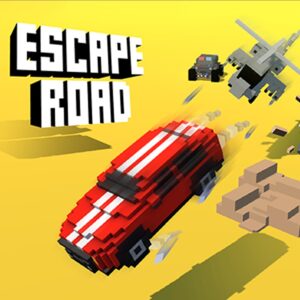
How is Escape Drive different from Escape Road?
Both involve car chases and police pursuit, but the gameplay differs significantly. Escape Road is a top-down endless driving game focused on steering and survival with simple controls. Escape Drive is aside-scrolling physics-based combat racerwith tilt balance, bombs, turbo boosts, monster car teeth, boss battles, and a 120+ level campaign with 30 upgradeable vehicles. Escape Drive adds combat mechanics, a full upgrade system, and structured level progression that Escape Road’s endless format doesn’t have.
Game controls:
- Use A/D or the arrow keys to tilt the vehicle back and forth
- J to activate turbo boosts
- K to drop bombs
Pleaseloginto comment.