











Basketball Orbit
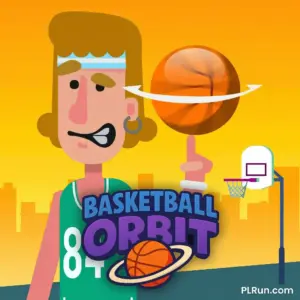
Basketball Orbit is a one-click basketball game where you launch a ball from over 100 feet away and try to sink it into the hoop — even from outer space. Each click is timed to a color meter: hit green for a perfect launch, hit red and the ball barely moves. Upgrade your strength, speed, and bounce between shots, and play it free in your browser on PLRun with no download required.
At a Glance
- Genre:Arcade Sports / Basketball / Skill / Physics
- Controls:Left Mouse Click or Spacebar
- Platform:Browser (desktop, mobile, tablet) — HTML5 (Unity WebGL)
- Developer:PinPin Team
- Difficulty:Easy to start, medium to master timing
About Basketball Orbit
Basketball Orbit is not a traditional basketball game. There is no dribbling, no defense, and no opponent. Instead, you face a single challenge: launch a basketball across an enormous distance and get it into the hoop. The catch is that each throw is controlled by a spinning color meter. An arrow sweeps across red, yellow, orange, and green zones — you click to stop it, and where it lands determines how far and fast your ball travels.
Green sends the ball soaring. Yellow gets you partway. Red keeps it bouncing at your feet. You click repeatedly to advance the ball across the field in stages, building distance with each well-timed tap. Once you are close enough to the hoop, you switch to a precision aiming phase where you click and move your mouse to guide the ball’s arc directly into the basket. Between rounds, you earn gold to upgrade three core attributes — strength, speed, and bounce — which directly increase how far each shot carries. The upgrade loop combined with the rhythm of timing the meter makes it surprisingly addictive for a one-button game.
How to Play Basketball Orbit
Basic Controls
Basketball Orbit uses a single input:
- Left Mouse ClickorSpacebar— Stop the power meter arrow and launch the ball
- Mouse movement— Aim the ball’s arc during the final precision shot phase (when close to the hoop)
On mobile, tap the screen to perform both actions.
Main Objective
Your goal is to get the basketball into the hoop from extreme distance — starting over 100 feet away. You do not make the shot in one throw. Instead, you click multiple times to advance the ball closer to the hoop, then make a final precision shot to sink it.
The Power Meter
The central mechanic is the color meter displayed on screen. A spinning arrow sweeps through four color zones:
- Green— Optimal zone. Stops here produce the longest, fastest throw
- Orange/Yellow— Partial power. The ball advances but not at full distance
- Red— Minimal power. The ball barely moves forward
Each click stops the arrow. Your timing determines how far the ball travels on that throw. Consistent green clicks advance you toward the hoop quickly, while red clicks waste turns and slow your progress.
Upgrades and Progression
After each round, you earn gold based on performance. Successful basket shots award 3x the gold reward. Spend gold in three upgrade categories:
- Strength— Increases maximum throw distance per click
- Speed— Makes the ball travel faster through the air
- Bounce— Improves how the ball rebounds and maintains momentum
You can also visit the locker room to unlock new characters and backgrounds as you progress. Some cosmetic options require reaching specific upgrade thresholds.
Basketball Orbit Pro Tips and Strategies
- Prioritize upgrading Strength first.Strength directly increases how far each click sends the ball. Higher strength means fewer clicks needed to reach the hoop, which reduces the number of timing challenges per round and increases your success rate.
- Focus on green zone consistency, not speed.Many players rush their clicks and land in orange or red. Take your time — there is no timer penalizing slow clicks. Wait for the arrow to enter the green zone, then click. Patience beats speed in this game.
- Upgrade Bounce second, Speed last.Bounce helps the ball maintain momentum after landing, effectively adding free distance. Speed is useful but less impactful early on. The optimal upgrade order is Strength → Bounce → Speed.
- On the final precision shot, aim slightly above the rim.When you reach the aiming phase near the hoop, position your mouse so the ball’s arc peaks just above the rim. Aiming directly at the hoop often results in the ball hitting the front of the rim and bouncing out.
- Farm gold by replaying early levels.If you are stuck on longer-distance challenges, replay shorter ones where you can consistently score baskets. Each basket awards 3x gold, so successful completions build your upgrade currency faster than failed attempts at harder distances.
- Watch for the arrow rhythm.The arrow sweeps at a consistent speed. After a few rounds, you will internalize the timing pattern. Instead of watching the arrow visually, develop a feel for when the green zone arrives and click based on rhythm.
- Play in short sessions.Like all reflex-timing games, your accuracy degrades when fatigued. Playing 10–15 minutes at a time produces better results than grinding for an hour straight.
Game Features
- One-Click Timing Mechanic— Simple input with a color-coded power meter that rewards precision
- Three Upgradable Stats— Strength, Speed, and Bounce each affect throw distance and ball physics
- Precision Aiming Phase— Final shots use mouse-guided arc control for direct basket targeting
- 3x Gold Reward System— Successful baskets triple your gold earnings for faster progression
- Character and Background Customization— Unlock new looks and environments in the locker room
- Physics-Based Ball Trajectory— Ball flight follows realistic arc and bounce calculations
- Progressive Distance Challenges— Shots start at 100+ feet and scale to extreme ranges, even into space
Why Play Basketball Orbit on PLRun?
- Instant play— Load the page and start shooting immediately with no download or installation
- Works on any device— Runs on desktop, mobile, and tablet browsers through HTML5
- No account required— No sign-up or login needed to play and save progress
- One-button friendly— The single-input design works perfectly on touchscreens
Games Similar to Basketball Orbit
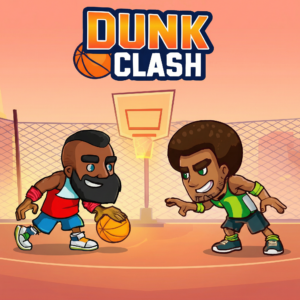
- Dunk Clash— Arcade basketball game focused on timing-based dunking mechanics and quick scoring rounds
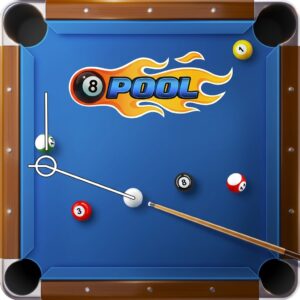
- 8 Ball Pool— Precision aiming sports game where angle control and power gauge timing determine each shot
- Goal Gang— Skill-based sports game with physics-driven ball trajectories and aim-and-shoot mechanics
- Foot Chinko— Physics-based sports arcade where shot power and angle control determine your scoring success
- Head Soccer— Fast-paced 1v1 sports game with simple controls and physics-driven ball movement
FAQ
Is Basketball Orbit free to play?
Yes. Basketball Orbit is completely free to play on PLRun with no download required. All game features, upgrades, and characters are accessible without paying.
Who developed Basketball Orbit?
Basketball Orbit was developed by PinPin Team. The game was released in April 2025 as an HTML5 browser title and is also available on iOS and Android app stores.
How do I get a slam dunk?
To dunk the ball in one shot, you need to consistently hit the green zone on the power meter with maxed-out stats. Upgrade Strength and Bounce fully, then time your clicks perfectly. When the ball is within sight of the hoop, use the mouse-guided aiming arc to position it directly into the basket.
What should I upgrade first?
Upgrade Strength first — it has the biggest impact on how far each click sends the ball. Follow with Bounce for extra distance from rebounds, then Speed last.
Can I play Basketball Orbit on my phone?
Yes. The HTML5 version on PLRun runs directly in your mobile browser. Tap the screen to stop the power meter and aim your shots — no app download needed.
How do I earn gold faster?
Focus on completing baskets rather than maximizing distance. Every successful basket awards 3x the normal gold reward. Replay easier levels where you can consistently score to build up gold for upgrades quickly.
Pleaseloginto comment.