














Crazy Chase – Car Chase Simulator
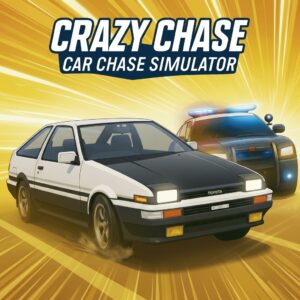
Every run in Crazy Chase – Car Chase Simulator begins the same way: you floor it, cops appear, and from that point forward the only rule is never stop moving. This endless arcade driving game by BeruGames throws you into a low-poly city where police pursuit escalates constantly — more cars, tighter roadblocks, collapsing obstacles — and survival depends on split-second drifts, well-timed power-ups, and knowing when to hit a ramp instead of braking. Play this free browser game on PLRun with no download required.
About Crazy Chase – Car Chase Simulator
Crazy Chase – Car Chase Simulator is an endless police chase game developed by BeruGames, released in September 2025 and built on HTML5 using Unity WebGL. The premise is simple but the execution is relentless: you drive through a stylized 3D city while an ever-growing swarm of police vehicles tries to box you in, ram you, or force you into oncoming traffic. Stopping for even a moment ends the run instantly.
What keeps this free online game compelling beyond the first few attempts is how the power-up system interacts with the escalating pressure. Grabbing Slow-Mo or Freeze when cops converge on you creates a window to escape what felt like a guaranteed crash. Coins collected during runs unlock new getaway cars — each with different handling characteristics — and global leaderboards give every run a competitive edge. If you enjoyEscape Roador similar chase games, this takes the formula into faster, more chaotic territory.
How to Play Crazy Chase – Car Chase Simulator
Basic Controls
On desktop, useWASDor theArrow Keysto steer and accelerate. PressSpaceto engage the handbrake, which is essential for sharp turns and controlled drifts. The game also supports controllers: use theJoystickto steer,RTto accelerate,LTto brake,Bfor the handbrake, andAto interact with menus. Controller input provides more granular steering than keyboard, but both work well for the game’s arcade handling model.
Main Objective
Survive the police chase as long as possible without stopping or crashing fatally. There is no finish line — this is purely endless. The longer you survive, the more cops join the pursuit, the faster traffic gets, and the more obstacles appear on the road. Your score is determined by how far you travel and how many coins you collect. Each run ends the moment you come to a complete stop or get pinned by police, so forward momentum is your only constant ally.
Power-Ups and How They Work
Power-ups spawn on the road as collectible items during the chase. Slow-Mo temporarily slows everything around you, giving you extra reaction time to navigate through dense traffic or squeeze past a closing roadblock. Freeze locks nearby police vehicles in place for a few seconds, creating an escape window when you’re surrounded. Nitro delivers a massive speed burst that can blast you past a cluster of cops before they react. Additional power-ups include armor (absorbs a collision that would otherwise end your run) and invisibility (temporarily removes you from police targeting). Timing these correctly — especially saving defensive power-ups for emergencies rather than using them the moment you grab them — is the core strategic layer.
Unlocking New Cars
Coins gathered during runs accumulate between attempts and can be spent to unlock new getaway vehicles. Each car handles differently — some are tighter in corners, others have higher top speed at the cost of sluggish steering. Choosing a car that matches your driving style matters more as runs get longer and the margin for steering errors shrinks. Experimenting with different vehicles on early runs helps you identify which handling profile lets you survive deepest into a chase.
Crazy Chase – Car Chase Simulator Tips and Strategies
- Hold power-ups until you actually need them.Grabbing Slow-Mo and immediately activating it wastes the effect on a section you could have navigated normally. Save Freeze and Slow-Mo specifically for moments when police are boxing you in from multiple angles. The power-up does nothing extra in an empty stretch of road — it’s insurance, not acceleration.
- Use the handbrake to drift past roadblocks, not to slow down.Tapping
Spacewhile turning initiates a controlled slide that swings your car sideways through tight gaps. Braking withSorDown Arrowto slow into a roadblock costs momentum, and in an endless chase, lost momentum attracts cops faster than anything else. A clean handbrake drift through a narrow gap keeps your speed and changes your angle simultaneously. - Aim for ramps when the road ahead looks crowded.Ramps scatter throughout the city and launch your car into the air. While airborne, you clear traffic, cops, and obstacles entirely. If you see a ramp offset to one side of the road while the center lane is packed with police, steer hard for the ramp — the brief airtime resets the immediate threat around you and often lands you in a cleaner stretch.
- Pick a fast car only after you can reliably survive with a slow one.High-speed vehicles are exciting but punish steering mistakes more harshly because obstacles approach faster. If your early runs end in quick crashes, switch to a more agile car with better handling. Once your reflexes adapt to reading the road further ahead, then move to faster vehicles where the speed advantage translates into higher scores instead of earlier deaths.
- Scan two road segments ahead, not just the one in front of you.New players fixate on the immediate obstacle — the cop car directly ahead — and steer around it into an even worse situation. Looking further down the road lets you plan a path that avoids the current obstacle and positions you well for the next one. This is especially critical when collapsing structures or cascading barriers appear, because their debris often blocks the obvious escape route.
- Don’t fight the cops — evade them.Ramming police head-on usually slows you to a crawl, even if you don’t fully stop. Sideswiping is less dangerous, but the safest approach is always a clean dodge. Every second spent in contact with a police vehicle is a second where your speed drops and more units converge on your position. Clean driving earns more distance than aggressive driving in almost every run.
Game Features
- Endless police chase— No levels or stages; the chase escalates continuously until you stop or crash
- Power-up system— Slow-Mo, Freeze, Nitro, armor, and invisibility each serve distinct tactical roles during pursuit
- Unlockable getaway cars— Spend collected coins on new vehicles with different speed and handling characteristics
- Low-poly 3D city— A stylized visual environment with dynamic obstacles including ramps, collapsing structures, and roadblocks
- Handbrake drifting— Controlled slides for sharp turns and roadblock evasion, separate from standard braking
- Achievements and leaderboards— Track personal records and compete globally for longest survival distance
- Controller support— Full gamepad compatibility alongside standard keyboard controls
- HTML5 browser game— Runs directly in desktop browsers via Unity WebGL with no download
Why Play Crazy Chase – Car Chase Simulator on PLRun?
- No download or installation — loads directly in your desktop browser
- Completely free with no registration or sign-up required
- Jump straight into a chase with zero load time between attempts
- Browse more police chase andcar escape gameson PLRun between runs
Games Similar to Crazy Chase – Car Chase Simulator
- Escape Road— An endless police escape driving game on PLRun that shares the same survive-as-long-as-possible core loop in a top-down format
- Mad Pursuit— A high-speed car chase game on PLRun with a similar sense of escalating danger and reflex-based evasion
- PAKO Car Chase Simulator— The spiritual predecessor by Tree Men Games that established the one-hit-death endless police chase formula Crazy Chase builds upon
- Escape Drive— Another escape-themed driving game on PLRun focused on outrunning pursuit through traffic
- Crazy Drift— A drift-focused car game on PLRun for players who enjoy the handbrake sliding mechanics central to surviving in Crazy Chase
FAQ
How does the game end in Crazy Chase?
Your run ends the moment your car comes to a complete stop — whether from a head-on collision, getting pinned between police vehicles, or simply braking too hard. There are no health bars or extra lives in the base game. The only way to extend a run is to keep moving forward, which makes every near-stop a genuine panic moment.
What do the different power-ups do?
Slow-Mo temporarily reduces the game speed so you can react to dense traffic and closing roadblocks. Freeze locks nearby police vehicles in place for several seconds. Nitro gives a massive speed burst. Armor absorbs one collision that would otherwise end your run. Invisibility briefly removes your car from police detection. Each power-up serves a different purpose, so recognizing which one you’ve grabbed and saving it for the right moment is a critical skill.
Is Crazy Chase – Car Chase Simulator free to play with no download?
Yes. The browser version on PLRun is completely free, runs in your desktop browser via HTML5, and requires no download or account creation. BeruGames also offers a premium Android app version called “Crazy Chase Premium” on Google Play, but the in-browser version provides the full endless chase experience at no cost.
Does the handbrake actually matter, or should I just steer?
The handbrake is essential. Standard steering alone cannot make tight enough turns at high speed to dodge roadblocks or squeeze between cop formations. TappingSpacewhile turning initiates a drift that swings your car’s rear out, letting you change direction much more sharply without fully losing momentum. Players who ignore the handbrake tend to crash into roadblocks that drifters slide past cleanly.
Can I play Crazy Chase on mobile?
The browser version is listed as desktop-only by CrazyGames. On mobile, BeruGames offers “Crazy Chase Premium” as a separate app on Google Play for Android. The desktop browser version on PLRun is optimized for keyboard and controller input, so playing on a phone browser is not recommended.
What’s the best car to start with?
Start with whichever car has the most responsive handling rather than the highest top speed. Early runs are where you learn the road patterns, ramp locations, and power-up timing, and a forgiving car keeps you alive longer so you learn faster. Switch to faster vehicles once you consistently survive past the point where the chase intensity ramps up and you feel confident reading the road two obstacles ahead.
Pleaseloginto comment.